Privacy Policy
For Occuco - Transparency and Protection of Your Privacy
🔒 Local-First Privacy
Occuco was built with a local-first approach. All your photos, face data, edits, and personal information stay locally on your device. All image processing, including face detection and editing, happens entirely on your Mac. No data is sent to our servers.
📋 1. Overview
This privacy policy explains how Occuco handles your data. The app follows a strict local-first approach: all your data stays on your device. The only optional exception is AI image generation, which requires an internet connection to OpenAI.
Controller:
M3 - ITK Beratung & Research
E-Mail: info@m3-works.com
💾 2. What Data is Stored?
Local App Data (on your device):
- Imported photos and edited versions (Content-Addressed Storage with SHA-256)
- Face detection data: detected faces and 128-dimensional face encodings
- Person database: names and assigned faces
- Folder structure and image metadata
- App settings (theme, color scheme, engine configuration)
- Project data, tickets, and AI interaction history
All this data is stored exclusively on your Mac in a local SQLite database and Content-Addressed Storage. It never leaves your device.
AI Image Generation (Optional - only when used):
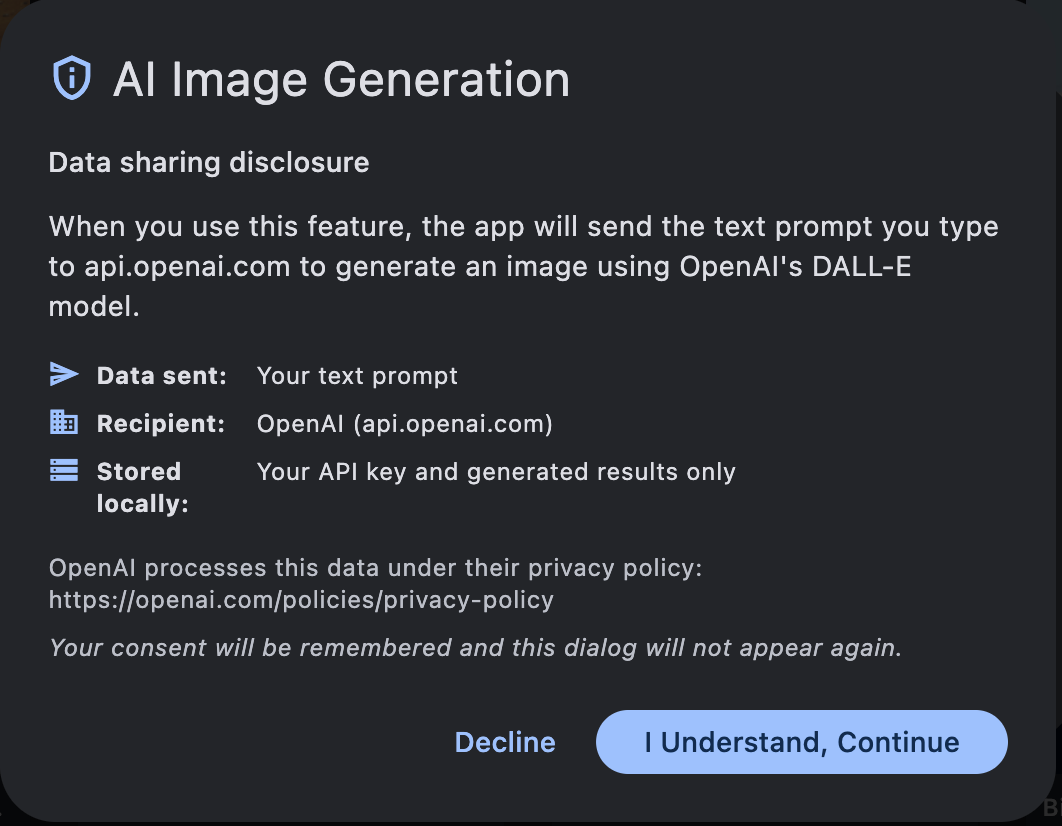
If you use the optional AI image generation feature, the following data is sent to OpenAI:
- Your text prompt: The image description you enter
- Your OpenAI API key: For authentication (you manage your own key)
- No photos: Your existing pictures are never sent to OpenAI
AI Code Execution (Optional - only when used):
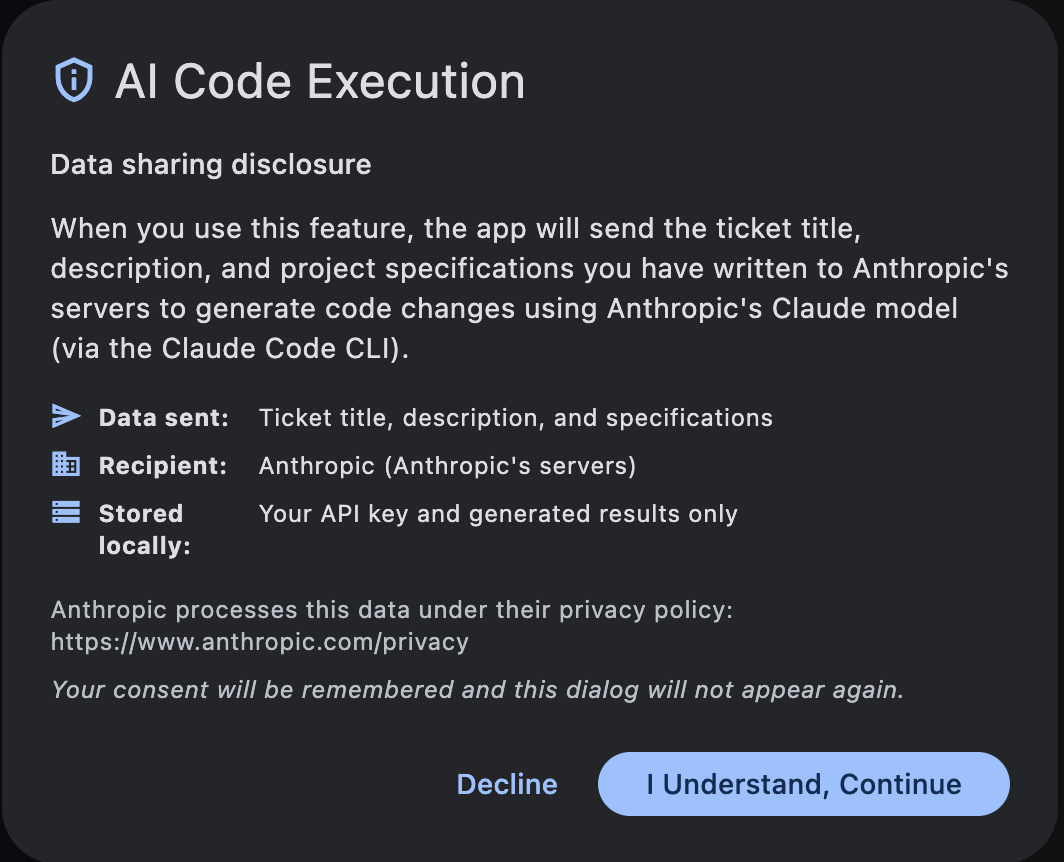
If you use the optional AI code execution feature, the following data is sent to Anthropic:
- Ticket title, description, and project specifications: The tasks and requirements you have written
- Your Anthropic API key: For authentication (you manage your own key)
- No photos: Your existing pictures are never sent to Anthropic
🚫 3. What is NOT Stored?
- No data on our servers — we do not operate any servers for this app
- No IP addresses or device identifiers
- No email addresses or contact information
- No location data
- No tracking data or analytics
- No advertising tracking IDs
- No selling of data to third parties
- No telemetry or usage statistics
ℹ️ Fully Local Processing
All image processing features — editing, face detection, similarity analysis, histograms — run entirely on your Mac via a built-in Python engine. Your photos never leave your device.
🌐 4. Third-Party Services
OpenAI (DALL-E) — Optional:
Only when using AI image generation:
- You must enter your own OpenAI API key
- Only your text prompt is sent to OpenAI
- None of your existing photos are transmitted
- You can disable this feature at any time by not entering an API key
- Privacy: openai.com/privacy
Anthropic (Claude) — Optional:
Only when using AI code execution:
- You must enter your own Anthropic API key
- Ticket title, description, and project specifications are sent to Anthropic
- None of your existing photos are transmitted
- You can disable this feature at any time by not entering an API key
- Privacy: anthropic.com/privacy
🔔 Transparency: In-App Consent Screens
Before you use any AI feature for the first time, Occuco shows a consent dialog that clearly explains which data is shared, who it is sent to, and what remains stored locally. Your consent is remembered and the dialog will not appear again.
📱 5. Permissions
The app requires the following permissions:
File System Access:
To import, store, and export pictures. Photos are stored in Content-Addressed Storage on your Mac.
Internet Access (Optional):
Only for AI image generation via the OpenAI API and AI code execution via the Anthropic API. All other features work completely offline.
⚖️ 6. Legal Basis (GDPR)
Local Data Processing:
Local storage of app data is for providing app functionality (Art. 6 para. 1 lit. b GDPR - contract fulfillment).
AI Image Generation and AI Code Execution:
Use of AI image generation (OpenAI) and AI code execution (Anthropic) is based on your consent (Art. 6 para. 1 lit. a GDPR). Before first use of each feature, the app shows a consent dialog. You actively decide whether and when to use these features.
🕐 7. Storage Duration
Local Data:
Stored on your Mac until you uninstall the app or manually delete the data.
Content-Addressed Storage:
Photos are stored in the CAS directory on your Mac. You can change the storage location in Settings. Delete pictures through the app or remove the CAS directory manually.
👤 8. Your Rights
You have the following rights according to GDPR:
- Right of access (Art. 15 GDPR): You can request information about your stored data
- Right to erasure (Art. 17 GDPR): You can request deletion of your data
- Right to rectification (Art. 16 GDPR): You can request correction of incorrect data
- Right to object (Art. 21 GDPR): You can object to processing
- Right to data portability (Art. 20 GDPR): You can receive your data in a structured format
- Right to lodge a complaint: You can complain to a data protection authority
How to delete your data:
- Photos: Delete individual pictures or folders in the app
- Face data: Delete persons and faces in the Face Manager
- All data: Uninstall the app and delete the CAS directory
- Questions: Contact us at info@m3-works.com
📡 9. Technical Details
Data Security:
- Content-Addressed Storage with SHA-256 hashing ensures data integrity
- All data is stored locally within the macOS app sandbox
- Non-destructive editing: originals are always preserved
- Secure HTTPS connection only for optional OpenAI API calls
- Your OpenAI API key is stored locally in app settings
Offline Functionality:
All core features — gallery, editing, face detection, similarity analysis, paint, project management — work completely offline. Only AI image generation requires an internet connection.
🔄 10. Changes to this Privacy Policy
We may update this privacy policy as needed. Significant changes will be published on this page.
Last updated: February 2026
🧒 11. Children
The app is suitable for all ages. Since no personal data is collected or sent to servers, there are no special requirements for use by children.
📞 Contact & Questions
If you have questions about this privacy policy or Occuco, please feel free to contact us: